Bootstrap Basic Course
Web Development Fundamentals, Faster Website Development
 Updated on Oct, 2026
 Language - English
AI Assistant

Lectures -8
Quizzes -2
Duration -41 mins
Lifetime Access

Lifetime Access
30-days Money-Back Guarantee
Get your team access to 10000+ top Tutorials Point courses anytime, anywhere.
Course Description
Module 1: Introduction and Environment Setup
- Getting Started with Bootstrap: Overview of what Bootstrap is and why it's used for mobile-first, responsive web design.
- Installation: How to navigate to getbootstrap.com and download necessary files.
- The Starter Template: Understanding the base HTML structure required for Bootstrap 5 and how to copy it into a text editor (e.g., Sublime Text 3).
- The Container Class: The difference between .container (fixed-width) and .container-fluid (full-width).
- The Grid System: Understanding the row (.row) and column (.col) hierarchy.
- Responsive Breakpoints: How to apply classes like .col-md-*, .col-lg-*, and .col-xl-* to adjust layouts for different screen sizes.
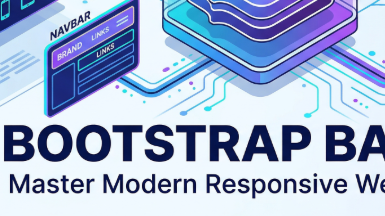
- Navigation Bars: Implementing and customizing the default navbar with brand titles, links, and search bars.
- Buttons: Using pre-defined button styles (btn-primary, btn-secondary, etc.) and understanding their semantic colors.
- Cards: Building content containers using the .card and .card-body classes.
- Modals: Creating interactive pop-up dialog boxes using the Bootstrap Modal plugin.
- Carousels: Setting up a responsive image slideshow with indicators, controls, and captions.
- Component Styling: Removing hardcoded styles (like fixed widths) to allow Bootstrap's responsive utility classes to take over.
- Responsive Testing: Techniques for checking how elements stretch or stack on mobile versus desktop views.
- Project Completion: Finalizing a basic Bootstrap-powered landing page.
Goals
- Learn Bootstrap Basics
- Build websites faster
Prerequisites
- Should have learned HTML & CSS, Javascript
Curriculum
Check out the detailed breakdown of what’s inside the course
Module 1: Introduction and Environment Setup
1 Lectures
-
 Introducttion to Bootstrap 5
06:33
06:33
Introducttion to Bootstrap 5
06:33
06:33
Module 2: Bootstrap Required Softwares
7 Lectures

Instructor Details

Shailesh Bhat
Your Ideas, My InnovationShailesh Manjunath Bhat is an emerging web developer from Mumbai, India, whose journey reflects a unique blend of professional expertise and creative passion. With an academic background in Information Technology and a degree in IT, he has built a strong foundation that has guided his career and personal pursuits. Over the course of more than 14 years, Shailesh has gained extensive professional experience in the fields of Information Technology and e-commerce, where he has honed his skills, broadened his perspectives, and cultivated a disciplined approach to work and life. Alongside this professional journey, he has nurtured a deep enthusiasm for creativity, self-expression, and continuous personal growth, which has naturally found its way into his writing. As an author, Shailesh explores a wide and diverse range of themes, demonstrating his versatility and depth of thought. His literary works span poetry, romance, and novels, where his imaginative voice allows readers to experience stories and emotions that resonate universally. Beyond creative writing, he is equally committed to producing books that serve as guides to personal development and well-being. His repertoire includes works on psychology techniques, health, weight management, stress management, habit transformation, and relationships. These subjects reflect his belief in the importance of mental clarity, physical health, and emotional balance, and his books aim to provide readers with practical tools and meaningful insights that can enrich everyday life. What sets Shailesh apart is the balance he strikes between practical insight and imaginative vision. His professional experiences have given him a grounded understanding of discipline, structure, and problem-solving, while his creative pursuits highlight his ability to think beyond boundaries and connect with readers on a more personal level. Each of his books reflects this dual strength: a combination of knowledge that is useful in practice and storytelling that inspires reflection and growth. Ultimately, Shailesh’s work is driven by the desire to inspire, guide, and build genuine connections with readers from all walks of life. Whether through a heartfelt poem, a moving novel, or a book offering guidance on health and personal development, his goal is to leave a lasting impact—encouraging readers not only to dream but also to take meaningful steps toward a healthier, happier, and more fulfilling life.
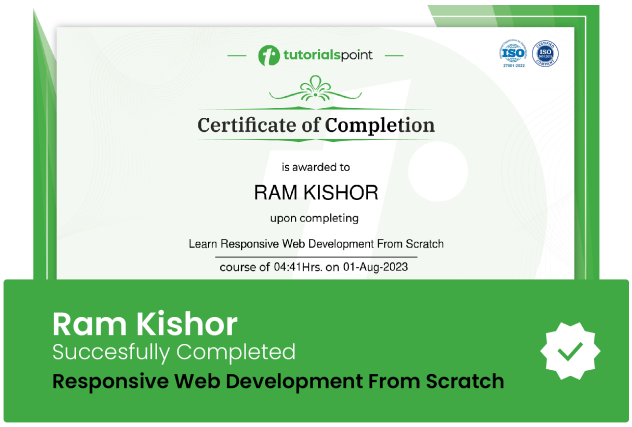
Course Certificate
Use your certificate to make a career change or to advance in your current career.
Our students work
with the Best

















Related Video Courses
View MoreAnnual Membership
Become a valued member of Tutorials Point and enjoy unlimited access to our vast library of top-rated Video Courses
Subscribe now
Online Certifications
Master prominent technologies at full length and become a valued certified professional.
Explore Now