Build AI Apps with Ollama & Llama
Learn to create powerful AI applications locally Llama models no cloud, no costs, just pure local AI magic!
 Updated on Oct, 2026
 Language - English
AI Assistant

Lectures -5
Quizzes -1
Resources -3
Lifetime Access

Get your team access to 10000+ top Tutorials Point courses anytime, anywhere.
Course Description
What makes this course special:
- ? 100% Local Development - No internet required after setup
- ? Real Projects - Build 5 actual AI applications
- ? Zero Costs - No API fees or subscriptions
- ? Complete Privacy - Your data never leaves your computer
- ? Practical Applications - Chat bots, document analyzers, code helpers
- ? Beginner-Friendly - Step-by-step instructions with screenshots
- Personal AI Assistant
- Document Question-Answering System
- Code Review Bot
- Local ChatGPT Alternative
- AI-Powered Task Automation Tool
Goals
Primary Learning Objectives:- Master Local AI Setup - Install and configure Ollama with multiple Llama models on any operating system
- Build Real Applications - Create 5 functional AI applications from scratch using Python and JavaScript
- Understand AI Integration - Learn how to connect AI models to web apps, desktop applications, and automation scripts
- Develop Problem-Solving Skills - Apply AI to solve real-world problems like document analysis, code review, and task automation
- Achieve AI Independence - Become self-sufficient in AI development without relying on external APIs or cloud services
- Configure and manage local AI models efficiently
- Build conversational AI interfaces
- Integrate AI into existing applications
- Optimize model performance for different use cases
- Create AI-powered automation workflows
Prerequisites
Required Knowledge:- Basic Computer Skills - Comfortable using command line/terminal
- Elementary Programming - Understanding of variables, functions, and basic logic (any language)
- File Management - Can create, edit, and organize files and folders
- Basic Python or JavaScript knowledge
- Experience with text editors or IDEs
- Familiarity with installing software
- Computer: Windows 10+, macOS 10.15+, or Linux
- RAM: Minimum 8GB (16GB recommended)
- Storage: 10GB free space for models
- Internet: Only for initial setup and model downloads

Curriculum
Check out the detailed breakdown of what’s inside the course
Module 1: Setup Your AI on Windows
1 Lectures
-
 Setup Your AI on Windows
Module 2: Build Your First AI Chat App on Windows
1 Lectures

Module 3: Smart Document Helper
1 Lectures
Module 4: Automate Everything
1 Lectures
QUIZ - Build AI Apps with Ollama & Llama
1 Lectures
Instructor Details

Pranay Mahendrakar
AI Specialist and LLM Engineer | Managing Director, SonyTech | AuthorCourse Certificate
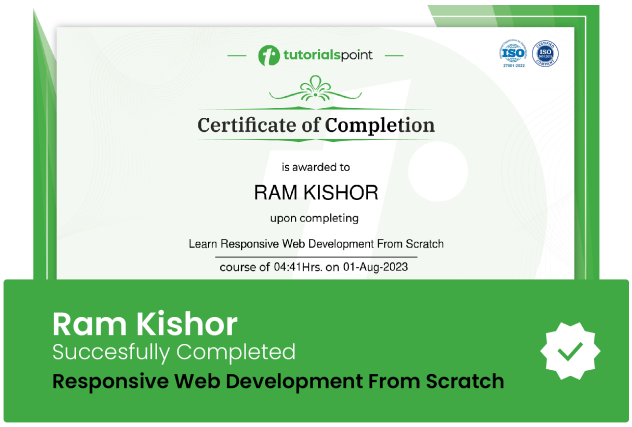
Use your certificate to make a career change or to advance in your current career.
Our students work
with the Best
















Related Video Courses
View MoreAnnual Membership
Become a valued member of Tutorials Point and enjoy unlimited access to our vast library of top-rated Video Courses
Subscribe now
Online Certifications
Master prominent technologies at full length and become a valued certified professional.
Explore Now