Complete Guide to Creating and Managing Blogs using Blogger
Learn to create, customize, publish, and manage professional blogs using Blogger from beginner to advanced level.
 Updated on Nov, 2026
 Language - English
AI Assistant

Lectures -74
Duration -1.5 hours
Lifetime Access

Lifetime Access
30-days Money-Back Guarantee
Get your team access to 10000+ top Tutorials Point courses anytime, anywhere.
Course Description
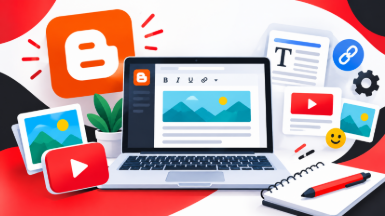
You will begin by learning how to access Blogger, create blog posts, format text, insert links, and work with photos and videos. You will then explore publishing options, labels, permalinks, location settings, comments, HTML view, post templates, and image lightbox features.
The course also covers blog management and customization, including themes, colors, backgrounds, theme HTML, privacy settings, search engine visibility, HTTPS, authors, reader access, comments, email settings, SEO options, custom error messages, redirects, and blog backup and recovery.
You will also learn how to customize your blog layout using a wide range of Blogger gadgets, including search, archive, image, labels, pages, link lists, popular posts, blog statistics, subscription links, translation, contact forms, blog lists, and feeds.
Throughout the course, practical demonstrations help you understand how the different Blogger features work and how they can be used to build and manage a functional blog.
The course concludes with a practical project where you create a fresh holiday blog about Kathmandu, add written content and photos, customize its appearance, organize the blog layout, and apply the skills learned throughout the course.
By the end of this course, you will have the knowledge and practical skills needed to create, customize, publish, and manage your own Blogger website.
Goals
After completing this course, students will gain practical knowledge and hands-on skills in creating, customizing, publishing, and managing blogs using Blogger, including:- Creating and managing Blogger blogs and blog posts
- Formatting text and adding links, images, videos, and YouTube content
- Publishing posts and managing labels, permalinks, locations, and comments
- Using HTML view, post templates, and image lightbox features
- Customizing blog themes, colors, backgrounds, layouts, and theme settings
- Configuring blog information, favicon, privacy, search visibility, and HTTPS
- Managing authors, readers, comments, email settings, and blog interactions
- Applying basic SEO settings, meta descriptions, custom 404 pages, and redirects
- Backing up, importing, recovering, and managing blog content
- Creating and customizing a complete practical blog using Blogger
Prerequisites
Students should have the following before starting this course:- Basic computer and internet skills
- A Google Account
- Basic understanding of using websites and web applications
- Basic file management skills for working with images and videos
- No prior experience with Blogger is required
Curriculum
Check out the detailed breakdown of what’s inside the course
Getting Started with Blogger
3 Lectures
-
 Accessing Blogger using Google Account
02:12
02:12
-
Creating New Blog Post
01:20
01:20
-
Changing Existing Blog Post Title
00:47
00:47
Formatting Blog Posts
4 Lectures

Working with Photos and Videos
3 Lectures
Publishing and Managing Posts
5 Lectures
Advanced Post Settings
5 Lectures
Managing Your Blog
3 Lectures
Customizing Blog Appearance
7 Lectures
Blog Settings and Privacy
4 Lectures
Authors, Readers, and Comments
5 Lectures
Email and Time Settings
2 Lectures
SEO and Error Management
3 Lectures
Backup and Blog Recovery
3 Lectures
Layout and Gadgets
23 Lectures
Additional Blogger Management Features
4 Lectures
Instructor Details

Pratik Pradhan
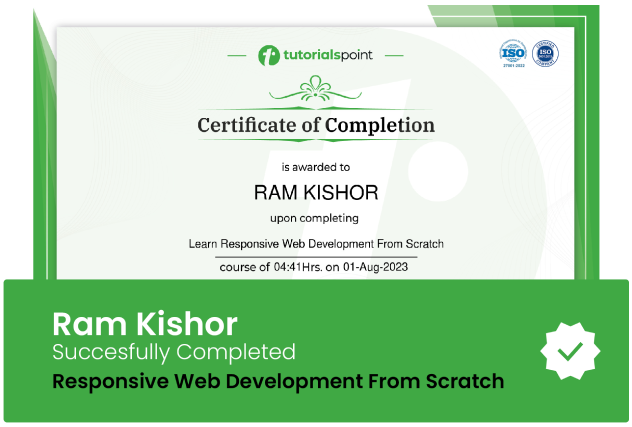
Course Certificate
Use your certificate to make a career change or to advance in your current career.
Our students work
with the Best

















Related Video Courses
View MoreAnnual Membership
Become a valued member of Tutorials Point and enjoy unlimited access to our vast library of top-rated Video Courses
Subscribe now
Online Certifications
Master prominent technologies at full length and become a valued certified professional.
Explore Now