Create Professional Videos in Google Vids
Learn Google Vids to create professional videos using AI, narration, media, animations, and collaboration tools.
 Updated on Nov, 2026
 Language - English
AI Assistant

Lectures -86
Duration -2.5 hours
Lifetime Access

Lifetime Access
30-days Money-Back Guarantee
Get your team access to 10000+ top Tutorials Point courses anytime, anywhere.
Course Description
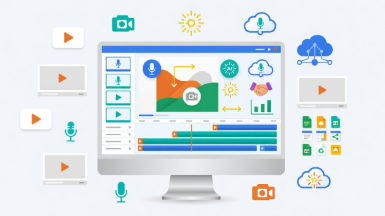
In this course, you will learn how to navigate the Google Vids interface, create and manage projects, work with scenes and timelines, and build visually appealing videos using text, images, shapes, videos, animations, and transitions. You will explore various media options, including stock assets, imported files, and content from Google Workspace applications.
The course also covers audio production features such as background music, voiceovers, screen recordings, camera recordings, and AI-generated narration. You will discover how to use Google Vids' AI capabilities to generate videos, create scripts, automate narration, and speed up your content creation workflow.
Additionally, you will learn how to collaborate with team members, manage permissions, track version history, integrate content from Google Slides and Google Sheets, add captions, and export your completed projects for sharing and distribution.
By the end of this course, you will have the skills and confidence to create polished, professional videos for business, education, marketing, training, and communication purposes using Google Vids.
Major Things You Will Learn
- Access and navigate the Google Vids interface
- Create and manage Google Vids projects
- Work with scenes, timelines, and video clips
- Use templates and build videos from scratch
- Add and format text, titles, and bullet points
- Design scenes using shapes, diagrams, tables, and charts
- Add stock videos, images, stickers, GIFs, and graphics
- Import media from your computer and Google Workspace services
- Crop, resize, mask, and arrange media elements
- Apply animations and scene transitions
- Record screen, camera, and voiceovers
- Generate AI narration and multi-speaker presentations
- Add and manage background music and audio settings
- Create captions manually and automatically
- Generate videos using Google Vids AI tools
- Collaborate with team members in real time
- Manage permissions, comments, and version history
- Integrate content from Google Slides, Sheets, and Drawings
- Export videos and share completed projects
- Use productivity tools, shortcuts, and advanced editing features
Goals
After completing this course, you will be able to:- Understand the complete Google Vids workflow from project creation to export
- Create professional-quality videos using Google Vids
- Design engaging scenes using text, media, shapes, and visual elements
- Work efficiently with timelines, animations, and transitions
- Record and edit narration, screen captures, and camera footage
- Leverage AI features to accelerate video production
- Integrate Google Workspace content into video projects
- Collaborate effectively with teams on video creation projects
- Export and distribute videos for various audiences and platforms
- Apply best practices for creating polished and professional video presentations
Prerequisites
Before taking this course, learners should have:- A Google account
- Basic computer and internet navigation skills
- Familiarity with Google Drive and Google Workspace applications is helpful but not required
- No prior video editing experience is necessary
Curriculum
Check out the detailed breakdown of what’s inside the course
Getting Started with Google Vids
7 Lectures
-
 Accessing Google Vids
01:02
01:02
Accessing Google Vids
01:02
01:02
-
Using Shortcut URL to Create a New Project Quickly
00:24
00:24
-
Options for Creating New Projects
01:25
01:25
-
Touring the Google Vids Interface
02:33
02:33
-
Accessing Projects in Google Drive
01:10
01:10
-
Viewing Project Details
00:43
00:43
-
Using Help Search
00:58
00:58
Creating and Managing Projects
6 Lectures

Working with Scenes and Timeline
6 Lectures
Working with Text
10 Lectures
Shapes, Diagrams and Visual Elements
5 Lectures
Working with Images and Graphics
7 Lectures
Working with Videos
5 Lectures
Object Management and Layout
5 Lectures
Animation and Transitions
3 Lectures
Audio and Music
5 Lectures
Scripts and Narration
4 Lectures
Recording Tools
3 Lectures
AI Features
5 Lectures
Google Workspace Integration
3 Lectures
Collaboration and Sharing
4 Lectures
Exporting and Publishing
4 Lectures
Productivity and Advanced Features
4 Lectures
Instructor Details

Pratik Pradhan
Course Certificate
Use your certificate to make a career change or to advance in your current career.
Our students work
with the Best

















Related Video Courses
View MoreAnnual Membership
Become a valued member of Tutorials Point and enjoy unlimited access to our vast library of top-rated Video Courses
Subscribe now
Online Certifications
Master prominent technologies at full length and become a valued certified professional.
Explore Now