Cypress - End To End Testing Course For Beginners
Cypress Testing
 Updated on Sep, 2026
 Language - English
AI Assistant

Lectures -12
Duration -2.5 hours
Lifetime Access

Get your team access to 10000+ top Tutorials Point courses anytime, anywhere.
Course Description
This video series on Cypress Tutorial for Beginners will walk you through the basics of what is Cypress, including the Cypress Installation & Project Setup, and help you create your first test script using Cypress. It further deep dives into the GET and FIND commands, Async and Non-Async functions, Cypress Assertions, and much more.
Cypress is a next-generation JavaScript-based end-to-end testing framework that provides a web test automation platform to quickly debug and maintain your code.
Goals
Welcome to the "Cypress - End-to-End Testing Tutorial for Beginners" course! This hands-on tutorial is designed for beginners looking to dive into the world of end-to-end testing using Cypress. Throughout this course, you'll gain practical knowledge and skills to create robust and efficient end-to-end tests for your web applications.
Course Goals:
Introduction to Cypress:
- Understand the fundamentals of Cypress, its advantages, and its role in end-to-end testing.
- Learn how Cypress differs from traditional testing frameworks.
Setting Up Cypress:
- Install and configure Cypress for your project.
- Explore the Cypress Test Runner interface.
Writing Your First Test:
- Create a simple test case to understand the basic syntax.
- Execute the test and analyze the results in the Cypress Test Runner.
Handling Selectors:
- Master the art of selecting and interacting with elements on a web page.
- Learn about different types of locators and best practices.
Working with Assertions:
- Implement assertions to validate expected behavior.
- Explore various Cypress commands for assertions.
Test Organization and Best Practices:
- Organize your tests efficiently using Cypress folder structures.
- Implement best practices for writing maintainable and scalable tests.
Interacting with Forms and UI Elements:
- Dive into form submissions and interactions with various UI elements.
- Learn how to simulate user actions.
Handling Asynchronous Operations:
- Understand Cypress's handling of asynchronous operations.
- Implement solutions for handling delays and AJAX requests.
Mocking and Stubbing:
- Explore techniques for mocking and stubbing network requests.
- Implement Cypress intercepts for controlled testing.
Running Tests in CI/CD:
- Configure Cypress to run tests in Continuous Integration and Continuous Deployment pipelines.
- Understand the importance of headless mode and parallelization.
Advanced Cypress Features:
- Explore advanced features such as custom commands and plugins.
- Understand the Cypress Dashboard and how it enhances test reporting.
Real-world Project:
- Apply the acquired knowledge to a real-world project scenario.
- Build a comprehensive end-to-end test suite for a sample web application.
By the end of this course, you'll have a solid foundation in Cypress and be equipped to implement end-to-end testing in your web development projects with confidence. Get ready to elevate your testing skills!
Prerequisites
Welcome to the Cypress - End-to-End Testing Tutorial for Beginners! Before you embark on this journey, make sure you meet the following prerequisites to ensure a smooth and effective learning experience:
Basic Web Development Knowledge:
- Understanding of HTML, CSS, and JavaScript is essential.
- Familiarity with the structure of a web page and basic DOM manipulation.
Text Editor:
- Proficiency in using a text editor of your choice (e.g., Visual Studio Code, Atom, Sublime Text).
Node.js and npm:
- Installation of Node.js and npm (Node Package Manager) on your machine.
- Ability to use npm commands to install packages globally and locally.
Git Basics:
- Basic understanding of version control using Git.
- Ability to clone repositories and navigate through branches.
Command Line/Terminal Usage:
- Comfortable navigating and executing commands in a command-line interface or terminal.
Web Browser:
- Have a modern web browser installed (preferably Chrome or Firefox) for testing purposes.
Familiarity with Web Development Tools:
- Basic understanding of browser developer tools for inspecting elements and debugging.
Understanding of Testing Concepts:
- A conceptual understanding of software testing principles and why end-to-end testing is crucial in web development.

Curriculum
Check out the detailed breakdown of what’s inside the course
Introduction
1 Lectures
-
 Introduction to Cypress Testing | Web Automation | Cypress Tutorial | Part I
14:32
14:32
Introduction to Cypress Testing | Web Automation | Cypress Tutorial | Part I
14:32
14:32
Is Cypress easy to Learn
1 Lectures

Cypress Installation
1 Lectures
Cypress Async Commands
1 Lectures
Handling Non-Cypress Async Promises
1 Lectures
Cypress Assertions
1 Lectures
Cypress UI Commands
1 Lectures
Cypress Hooks
1 Lectures
Cypress Fixtures
1 Lectures
Cypress Custom Commands
1 Lectures
Cypress Mouse Commands
1 Lectures
Cypress Actions
1 Lectures
Instructor Details

Sarah Elson
Sarah Elson is a passionate educator and industry professional dedicated to helping learners build practical, job-ready skills. With a strong background in her field, she focuses on delivering clear, structured, and results-driven training designed for both beginners and advancing professionals.
Sarah combines real-world experience with hands-on learning approaches, making complex concepts simple and actionable. Her teaching style emphasizes clarity, practical application, and continuous improvement to help students achieve measurable success in their careers.
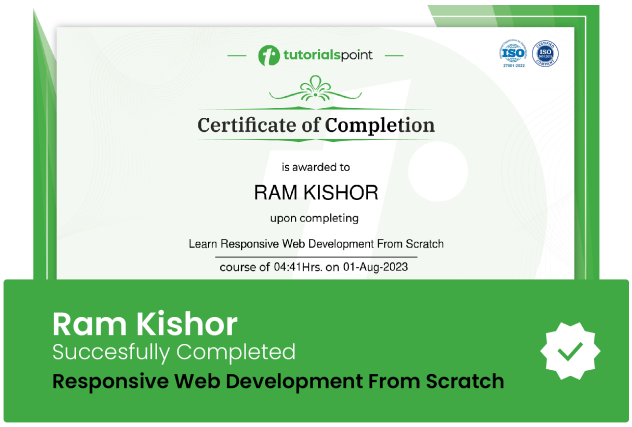
Course Certificate
Use your certificate to make a career change or to advance in your current career.
Our students work
with the Best
















Related Video Courses
View MoreAnnual Membership
Become a valued member of Tutorials Point and enjoy unlimited access to our vast library of top-rated Video Courses
Subscribe now
Online Certifications
Master prominent technologies at full length and become a valued certified professional.
Explore Now