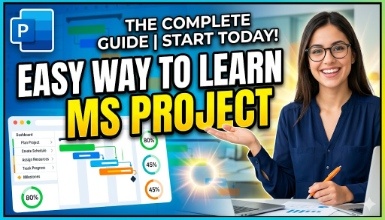
Easy way to learn MS Project
MS Project, Project
 Updated on Jul, 2026
 Language - English
 Office Productivity,Microsoft,
Lectures -11
Duration -1.5 hours
Lifetime Access

Lifetime Access
30-days Money-Back Guarantee
Get your team access to 10000+ top Tutorials Point courses anytime, anywhere.
Course Description
Microsoft Project is a project management software program developed and sold by Microsoft. It is designed to assist project managers in developing a schedule, assigning resources to tasks, tracking progress, managing the budget, and analyzing workloads.
Microsoft Project is a popular choice for project management because it is easy to use and has a wide range of features. It can be used to manage projects of all sizes, from simple to complex.
Some of the key features of Microsoft Project include:
Task scheduling: Microsoft Project allows users to create a detailed schedule for their project, including task dependencies, durations, and resources.
Resource management: Microsoft Project allows users to assign resources to tasks and track their availability. This can help to ensure that projects are completed on time and within budget.
Progress tracking: Microsoft Project allows users to track the progress of their projects and identify any potential problems early on.
Workload analysis: Microsoft Project allows users to analyze the workload of their team members and identify any potential bottlenecks. This can help to ensure that resources are allocated efficiently.
Microsoft Project is a powerful tool that can help project managers to improve the efficiency and effectiveness of their projects. It is used by a wide range of organizations, including businesses, government agencies, and non-profit organizations.
Let's learn MS Project in the easiest way. The topics covered in the session are.
Introduction
Downloading Trial Version
Creating a Simple Project
Creating Dependency
Highlight Critical Path
Create Resource File
Assign Resource
Resource Sharing (Between multiple Projects)
Program Management using MS Project
Reporting Project Status
Microsoft Project is a complex tool, but it is easy to learn the basics. There are many resources available online and in libraries to help users learn how to use Microsoft Project.
Goals
Some of the key features of Microsoft Project include:
Task scheduling: Microsoft Project allows users to create a detailed schedule for their project, including task dependencies, durations, and resources.
Resource management: Microsoft Project allows users to assign resources to tasks and track their availability. This can help to ensure that projects are completed on time and within budget.
Progress tracking: Microsoft Project allows users to track the progress of their projects and identify any potential problems early on.
Workload analysis: Microsoft Project allows users to analyze the workload of their team members and identify any potential bottlenecks. This can help to ensure that resources are allocated efficiently.
Prerequisites
Knowledge of using MS Project
Curriculum
Check out the detailed breakdown of what’s inside the course
Introduction
1 Lectures
-
 Introduction to MS Project
06:14
06:14
Introduction to MS Project
06:14
06:14
Download Trail and Activate Trail Version
2 Lectures

Creating Simple Project
1 Lectures
Creating Dependency
1 Lectures
Critical Path : you will be able to understand critical path of project.
1 Lectures
Milestone : After this session you would be able to set Milestone and use Milestone to generate Project status report
1 Lectures
Create Resource Files : After this session we would be able to create and use Resource Files for Resource allocation,
2 Lectures
Sharing resource between multiple Project : After this session we would be able to allocate same resource across multiple Project
1 Lectures
Track Multiple Project at single place.:After this session we would be able to track and report multiple projects using single Project File.
1 Lectures
Instructor Details

Bhargava Pandey
Art of LearningHe has over 20 years of experience in the IT industry, with a focus on pharmacovigilance, databases, DevOps, cloud, cyber security, and forensics. He is a passionate and experienced IT leader with a proven track record of success in delivering high-quality IT services to meet the needs of his clients. He is also a highly skilled and knowledgeable IT professional with a deep understanding of the latest technologies and trends. In addition to his professional experience, Bhargava is also an instructor and trained number of people on popular courses on databases, DevOps, cloud, cyber security, and forensics. His courses are well-received by students and have helped many people to advance their careers in the IT industry. Apart from technical skill he is also skilled in Astrology helping people on learning Astrology and consulting.
I am committed to helping others learn and grow. He is a patient and effective teacher who is able to explain complex concepts in a clear and concise way. He is also a strong advocate for diversity and inclusion in the workplace.
Course Certificate
Use your certificate to make a career change or to advance in your current career.
Our students work
with the Best

















Related Video Courses
View MoreAnnual Membership
Become a valued member of Tutorials Point and enjoy unlimited access to our vast library of top-rated Video Courses
Subscribe now
Online Certifications
Master prominent technologies at full length and become a valued certified professional.
Explore Now