Excel Power Query Training - Beginners to Advanced level
Data modelling using get & transform for business intelligence and data analytics in Excel 2010 -2016 using Power Query
 Updated on Oct, 2026
 Language - English
AI Assistant
English [CC]

Lectures -44
Resources -1
Duration -4.5 hours
Lifetime Access

Lifetime Access
30-days Money-Back Guarantee
Get your team access to 10000+ top Tutorials Point courses anytime, anywhere.
Course Description
What is POWER QUERY (PQ)?
It's a FREE tool provided by Microsoft for Excel users.
Yes, you read it correctly. This tool is FREE !!!
And Power Query can make novice Excel user to PRO-Excel user very quickly, & this training will make your journey easy and memorable.
Power Query is available for ALL users of Excel 2010 / 2013 / 2016 and Power BI. In Excel 2016, it has been renamed as "Get & Transform".
These course topics can be applied to all versions of Power Query - Excel 2010 / 2013 / 2016 & Power BI.
Power Query is a tool that can be used for data discovery, reshaping the data and combining data ( Merge / Blend / Consolidate, etc.) coming from different sources. Power Query can connect directly to Excel, Access, Text, CSV, Hadoop, Salesforce, Azure and many other sources of data.
You can perform and automate all the Extract > Transform > Load (ETL) tasks required to clean the data and make it usable for further analysis in Tableau, Power BI, Excel, Access, etc.
Who this course is for:
- Novice Excel users to Advanced Excel users.
- People performing Data Analytics in Excel, Power Pivot, Power BI, Tableau, Python, R.
- Business Intelligence Specialists using Excel, Tableau, Power Pivot, Power BI, Python, R.
- Data Analysts / Financial Analysts using Excel, Tableau, Power Pivot, Power BI, Python, R.
- If you or your team needs to fetch data from different sources and transform it so that it can be used in Excel for further analysis, then this course will help you master Power Query features from scratch.
- IT specialists who perform Extract Transform & Load (ETL) activities for business.
Goals
- At the end of this Power Query Training, you will understand 80% of the features available in Power Query.
- You would be able to perform various complex data cleansing activities using Power Query.
- You would be able to automate various tasks that would have taken long hours of work.
Prerequisites
- You should have basic knowledge of using Excel.
- You should be aware of the Table feature in Excel.
- You should have the Excel 2010 / 2013 / 2016 version installed on your PC.
- You would need to install Power Query if you are using Excel 2010 or 2013. (will be shown during the course intro).

Curriculum
Check out the detailed breakdown of what’s inside the course
Instructor Introduction
3 Lectures
-
 Instructor Introduction
02:23
02:23
Instructor Introduction
02:23
02:23
-
Introduction to Power Query
14:28
14:28
-
 Supporting Excel Files
Getting Started with Power Query
3 Lectures

Data transformation without any formulas inside Power Query
6 Lectures
Working on data from multiple sources
6 Lectures
I have stopped using VLOOKUP function - want to know why?
3 Lectures
On the way to become superstar in Power Query - Learn basics of M Language
6 Lectures
Apply the knowledge gained to real world datasets - see the immediate difference
8 Lectures
Increase your level with regards to M Language
4 Lectures
Apply your M Language knowledge to complex data from real world
4 Lectures
Instructor Details

Abhay Gadiya
Abhay Gadiya is an experienced trainer with a strong passion for teaching and practical learning. He focuses on explaining concepts in a clear and simple way, helping learners build real-world skills and confidence through hands-on examples.
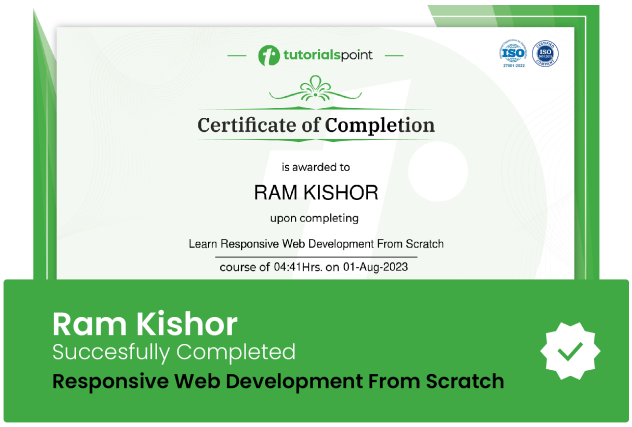
Course Certificate
Use your certificate to make a career change or to advance in your current career.
Our students work
with the Best

















Related Video Courses
View MoreAnnual Membership
Become a valued member of Tutorials Point and enjoy unlimited access to our vast library of top-rated Video Courses
Subscribe now
Online Certifications
Master prominent technologies at full length and become a valued certified professional.
Explore Now