Mastering Excel with Generative AI for Beginners: ChatGPT
Learn Excel fundamentals, formulas, data analysis, and AI-powered productivity using ChatGPT and Generative AI tools
 Updated on Oct, 2026
 Language - English
AI Assistant

Lectures -74
Duration -7.5 hours
Lifetime Access

Lifetime Access
30-days Money-Back Guarantee
Get your team access to 10000+ top Tutorials Point courses anytime, anywhere.
Course Description
Who this course is for:
- Beginners who want to learn Microsoft Excel from scratch in a simple and structured way
- Anyone curious about using Generative AI tools like ChatGPT with Excel to work faster and smarter
- Professionals looking to upgrade their skills with modern AI-assisted productivity techniques
- Students who want to develop practical Excel skills for academic projects and future careers
- Working professionals who want to improve productivity and efficiency using Excel and AI tools
- Business owners and entrepreneurs who want to manage and analyze business data more effectively
- Freelancers and remote workers who want to add Excel and AI skills to their professional toolkit
- Data beginners interested in learning the basics of data analysis using Excel.
Goals
- The fundamentals of Microsoft Excel and confidently navigate the Excel interface
- Use Generative AI tools like ChatGPT and Perplexity AI to generate Excel formulas quickly and accurately
- Create, organize, and manage spreadsheets and datasets effectively
- Use essential Excel formulas and functions to perform calculations and tasks
- Apply commonly used formulas such as SUM, AVERAGE, COUNT, IF, and other practical functions
- Learn Lookup Functions including VLOOKUP, HLOOKUP, XLOOKUP, and INDEX-MATCH for efficient data retrieval
- Perform data cleaning and text management techniques to prepare raw data for analysis
- Learn how to solve Excel problems faster using AI-assisted prompts
- Automate repetitive Excel tasks using AI-powered techniques and smart workflows
- Analyze datasets and extract meaningful insights using Excel and AI together
- Learn practical AI prompting techniques specifically for Excel tasks
- Build confidence in using Excel for business, academic, and professional applications
- Work on real-world examples and practical exercises to strengthen Excel and AI skills
Prerequisites
- No prior Excel experience required – this course is designed for complete beginners
- A computer or laptop (Windows or Mac) with Microsoft Excel installed
- Internet connection to access online resources and AI tools used in the course
Curriculum
Check out the detailed breakdown of what’s inside the course
Introduction
4 Lectures
-
 Introduction
04:08
04:08
Introduction
04:08
04:08
-
Getting Started on Windows, MacOS, Android and IOS
01:47
01:47
-
How to ask great questions
01:55
01:55
-
FAQ’s
02:08
02:08
Generative AI fundamentals
4 Lectures

Setting up and exploring the power of chatGPT
3 Lectures
Generative AI for real-world business - use cases
3 Lectures
Generative AI for content creation - automation
6 Lectures
Microsoft excel foundation
8 Lectures
Using chatGPT AI to learn excel
5 Lectures
Perplexity AI to learn excel
5 Lectures
AI- Powered data analysis
2 Lectures
Excel formulas made easy
7 Lectures
Mastering excel lookup functions
4 Lectures
XLookup only for excel 2021 and office 365
3 Lectures
Cleaning and managing data in excel
6 Lectures
Data consolidation and pivottables
6 Lectures
Data visualization- excel charts
8 Lectures
Instructor Details

Metla sudha sekhar
Metla Sudha Sekhar is a passionate educator, technologist, and mentor with years of experience in teaching programming, artificial intelligence, and digital transformation skills. Known for his practical and easy-to-understand teaching style, he has helped thousands of learners — from beginners to professionals — build strong foundations in technology and enhance their career opportunities.
With expertise in Generative AI, Python, Java, Microsoft Office tools, and Digital Marketing, Sudha Sekhar focuses on delivering hands-on, real-world learning experiences rather than just theory. His courses are structured step-by-step, making even complex topics simple and approachable.
He strongly believes in “learning by doing” and designs courses with projects, exercises, and lifetime access so students can learn at their own pace.
Whether you’re a student, job seeker, or working professional looking to upgrade your skills, Sudha Sekhar’s courses empower you to stay ahead in today’s fast-changing digital world.
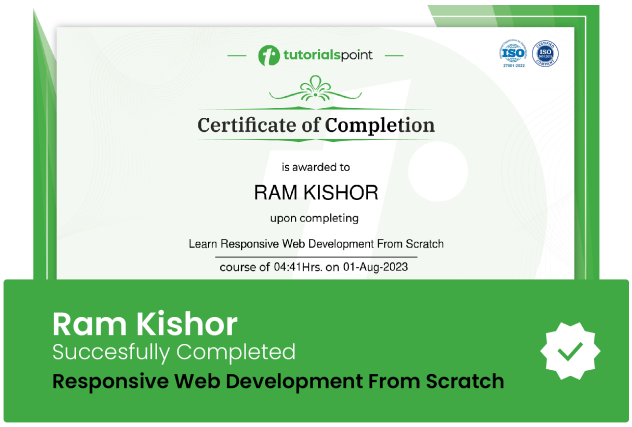
Course Certificate
Use your certificate to make a career change or to advance in your current career.
Our students work
with the Best

















Related Video Courses
View MoreAnnual Membership
Become a valued member of Tutorials Point and enjoy unlimited access to our vast library of top-rated Video Courses
Subscribe now
Online Certifications
Master prominent technologies at full length and become a valued certified professional.
Explore Now