Mastering Microsoft Access: From Beginner to Advanced
Gain a solid understanding of database concepts and the role of Microsoft Access in managing data
 Updated on Oct, 2026
 Language - English
AI Assistant

Lectures -59
Resources -9
Duration -6 hours
Lifetime Access

Lifetime Access
30-days Money-Back Guarantee
Get your team access to 10000+ top Tutorials Point courses anytime, anywhere.
Course Description
Unlock the full potential of Microsoft Access with our comprehensive video-based course designed for learners of all levels. Whether you're a beginner looking to get started or an experienced user aiming to enhance your skills, this course has something for everyone.
Course Highlights:
Introduction to Microsoft Access: Understand the basics of database management and get familiar with the Access interface.
Creating and Managing Databases: Learn how to create, modify, and manage databases efficiently.
Tables and Relationships: Master the art of designing tables and establishing relationships between them to ensure data integrity.
Queries and Data Retrieval: Discover how to create powerful queries to retrieve and manipulate data effectively.
Forms and Reports: Design user-friendly forms for data entry and generate insightful reports to present your data.
Advanced Features: Dive into advanced topics such as macros, VBA programming, and automation to streamline your workflow.
Real-World Projects: Apply your knowledge to real-world scenarios with hands-on projects and case studies.
Course Benefits:
Flexible Learning: Access the course anytime, anywhere, and learn at your own pace.
Expert Instructors: Gain insights from industry experts with years of experience in database management.
Interactive Content: Engage with interactive video lessons, quizzes, and practical exercises to reinforce your learning.
Certification: Earn a certificate of completion to showcase your skills and boost your career prospects.
Join us on this journey to become a Microsoft Access pro and take your database management skills to the next level!
Goals
Understand Database Fundamentals: Gain a solid understanding of database concepts and the role of Microsoft Access in managing data.
Navigate the Access Interface: Become proficient in using the Access interface, including ribbons, navigation panes, and key features.
Create and Manage Databases: Learn how to create, modify, and manage databases to store and organize data effectively.
Design Tables and Relationships: Master the design of tables and the establishment of relationships to ensure data integrity and efficient data management.
Develop Queries: Acquire the skills to create and run queries to retrieve, filter, and manipulate data according to specific criteria.
Build Forms and Reports: Design user-friendly forms for data entry and generate insightful reports to present and analyse data.
Utilize Advanced Features: Explore advanced features such as macros, VBA programming, and automation to enhance productivity and streamline workflows.
Apply Knowledge to Real-World Scenarios: Implement learned concepts through hands-on projects and case studies to solve real-world database challenges.
Achieve Certification: Prepare for and earn a certificate of completion to validate your skills and enhance your career opportunities.
Prerequisites
Basic Computer Skills:** Familiarity with using a computer, including navigating the operating system, using a mouse and keyboard, and basic file management.
Microsoft Office Experience:** Basic knowledge of Microsoft Office applications such as Word and Excel will be helpful, but is not mandatory.
Access to Microsoft Access:** Ensure you have access to a version of Microsoft Access (preferably the latest version) installed on your computer.
Internet Connection:** A stable internet connection is required to access the video lessons and course materials.
Willingness to Learn:** An eagerness to learn and explore new concepts in database management.
Curriculum
Check out the detailed breakdown of what’s inside the course
Introduction
2 Lectures
-
 Course Overview
03:22
03:22
Course Overview
03:22
03:22
-
Basic Concepts
02:47
02:47
Level 1
21 Lectures

Level 2
36 Lectures
Instructor Details

Stephen Saxton
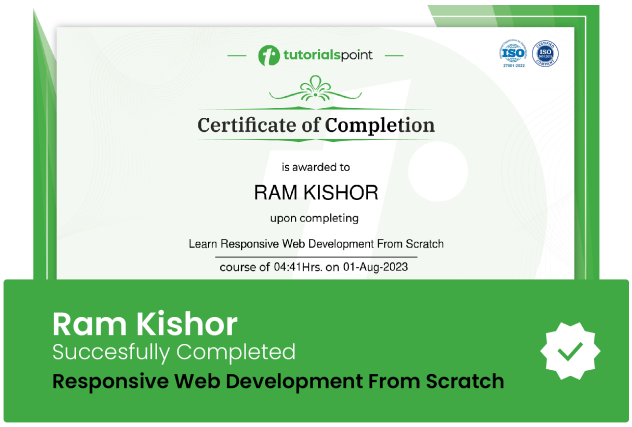
Course Certificate
Use your certificate to make a career change or to advance in your current career.
Our students work
with the Best

















Related Video Courses
View MoreAnnual Membership
Become a valued member of Tutorials Point and enjoy unlimited access to our vast library of top-rated Video Courses
Subscribe now
Online Certifications
Master prominent technologies at full length and become a valued certified professional.
Explore Now