NEW! Advanced Texturing in Substance Painter online course
Learn how to create high-quality, advanced textures using Substance Painter and how to render assets in Marmoset
 Updated on Jan, 2026
 Language - English

Lectures -15
Resources -3
Duration -9 hours
Lifetime Access

Lifetime Access
30-days Money-Back Guarantee
Get your team access to 10000+ top Tutorials Point courses anytime, anywhere.
Course Description
NEW! Advanced Texturing in Substance Painter HOT!!
In this course, Advanced Texturing in Substance Painter, you'll learn how to create high-quality, advanced textures using Substance Painter and how to render assets in Marmoset.
You'll learn in this course:You will learn how to prepare an asset for baking and how to create a quick and perfect bake using Substance Painter. You’ll also learn how to create flexible smart materials, how to create hyper-realistic rust and dirt. And how to create details on textures... In the Marmoset toolbag, you’ll learn how to set up a render scene using Quixel Bridge assets, and finally, you will learn how to quickly render images and animations.
About your Instructor
Morteza Hatamzadeh is a senior environment and look-dev artist who has worked on various mid to large-scale production-level projects.
SKILL LEVEL
You need to know the basics of Substance Painter and Marmoset. If you don’t know these basics ، I recommend that you watch the introductory course first
FILES INCLUDED
9:14 hours worth of Full HD Video Footage
Source files: yes
Language: English + subtitles
SOFTWARE USED
Adobe Substance.3D.Painter.9.0.0.2585 & 3ds Max 2023 & Marmoset.Toolbag.4
Section LIST
01 – Explaining and preparing the model (3ds Max) & Baking the Model in Substance Painter. [3ds Max] [Substance Painter]
02 – Creating Base Colour & Texturing Tank [Substance Painter]
03 – Creating Smart Materials & Texturing Handle [Substance Painter]
04 – Creating Texturing Hose [Substance Painter]
05 – Creating Texturing Fire Inspection [Substance Painter]
06 – Creating Texturing Plastic Belt [Substance Painter]
07 – Creating Texturing Pressure Gauge [Substance Painter]
08 – Creating Texturing Texturing Valve [Substance Painter]
09 – Creating Texturing Texturing Hose Connector [Substance Painter]
10 – Creating Texturing Spray Nozzle.Holder [Substance Painter]
11 – Creating Texturing Rust [Substance Painter]
12 – Creating Texturing Spider Webs [Substance Painter]
13 – Creating Texturing New fire extinguisher [Substance Painter]
14 – Render Image.Animation [Marmoset]
I hope to see you in this course.
Goals
- Learn how to prepare an asset for baking.
- Importing your model into Substance Painter.
- Setting up a New Project and Baking Mesh Maps.
- Learn about all the tools and functions in Substance Painter.
- Learn about materials and Smart Materials, and create your own Smart Materials.
- Learn about Masks, Smart Masks, Geometry Masks.
- Going over different Effects and Filters.
- Create various real-life materials like Painted Metal, Plastic, Iron, Rubber, Glass, etc.
- Learn to use Opacity maps.
- Learn to add effects like dust, dirt, roughness variations, edge damage, etc.
- Add stickers/decals to your models to make your textures even more realistic.
Exporting Textures from Substance Painter to Marmoset Toolbag.
Prerequisites
You need to know the basics of Substance Painter and Marmoset. If you don’t know these basics ، I recommend that you watch the introductory course first.

Curriculum
Check out the detailed breakdown of what’s inside the course
Intro
1 Lectures
-
 Intro
01:27
01:27
Intro
01:27
01:27
Bake
1 Lectures

Texturing Tank
1 Lectures
Texturing Handle
1 Lectures
Texturing Hose
1 Lectures
Texturing Fire Inspection
1 Lectures
Texturing Plastic Belt
1 Lectures
Texturing Pressure Gauge
1 Lectures
Texturing Valve
1 Lectures
Texturing Hose Connector
1 Lectures
Texturing Spray Nozzle.Holder
1 Lectures
Texturing Rust
1 Lectures
Texturing Spider Webs
1 Lectures
Texturing New fire extinguisher
1 Lectures
Render Image.Animation
1 Lectures
Instructor Details
Teaching.Epic.Art
I am a professional 3D environment artist in charge of bringing worlds to life using various modeling, texturing and lighting techniques. love learning and researching the newest techniques for asset creation and I'm proficient with various 3D packages like: Maya, Substance, Unreal, 3dsMax, Photoshop , speed tree , and Zbrush. I enjoy working with creative and driven teams that help me push the boundaries of digital art.
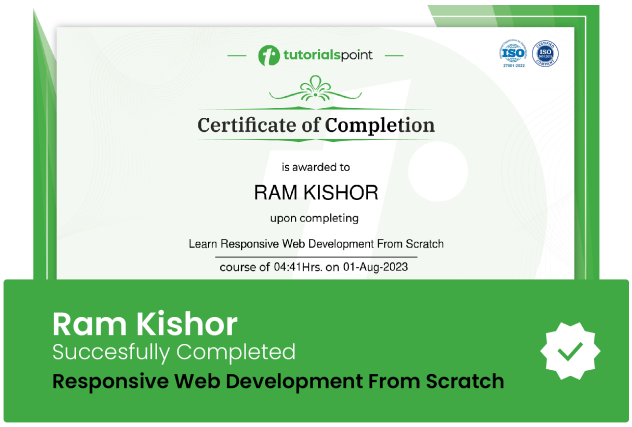
Course Certificate
Use your certificate to make a career change or to advance in your current career.
Our students work
with the Best

















Related Video Courses
View MoreAnnual Membership
Become a valued member of Tutorials Point and enjoy unlimited access to our vast library of top-rated Video Courses
Subscribe now
Online Certifications
Master prominent technologies at full length and become a valued certified professional.
Explore Now