Tableau FULL COURSE for Beginners
Learn Tableau, a business intelligence tool, and create dashboards, charts, etc. to track performance.
 Updated on Oct, 2026
 Language - English
AI Assistant
English [CC]

Lectures -37
Duration -3.5 hours
Lifetime Access

Lifetime Access
30-days Money-Back Guarantee
Get your team access to 10000+ top Tutorials Point courses anytime, anywhere.
Course Description
Tableau is a leading data analysis, visualization, and BI tool that transforms raw data into intuitive, visual formats such as charts, graphs, and maps. Its user-friendly drag-and-drop interface makes it accessible to users of all skill levels.
Tableau integrates with many types of data, enabling real-time data analysis and insights. By providing the feature to create an interactive dashboard, it helps in proper decision-making by the teams and efficient collaboration.
Robust features by Tableau made it a strong tool for business analytics, data science, and reporting.
Data Connectivity-Tableau allows connection to the different data sources, such as databases, spreadsheets, cloud services, even big data platforms.
Data Blending: Users can merge data from different sources, allowing them to have complete analysis.
Drag-and-Drop Interface: It is very user-friendly as Tableau provides users with the capability of creating visualizations without any advanced technical knowledge.
Real-Time Data: The dashboards developed by users are based on real-time data and help in taking decisions in real time.
Customization: Dashboards and reports can be customized as per the user's requirements.
Geospatial Support: Interactive maps & spatial analyses can be created with geospatial data.
Tableau Cloud: It provides cloud-based analytics where the user can easily manage and share data-driven insights.
Note: For this course, we will be working on the Tableau Desktop that has a 14-day free trial version.
Course Lessons:
The Tableau course consists of 36 lessons divided into 7 sections:1. Tableau – Overview & Setup
- Tableau - Introduction & Features
- Tableau - Types of Products
- Tableau vs Power BI vs Excel
- Install Tableau on Windows 10
- Install Tableau on Windows 11
- Connect a Data Source in Tableau
- Create a Line Chart in Tableau
- Create a Bar/Column Chart in Tableau
- Create a Pie Chart in Tableau
- Create a Map in Tableau
- Create a Tree Map in Tableau
- Create a Scatter Plot in Tableau
- Create a Bubble Chart in Tableau
- Create a Gantt Chart in Tableau
- Create a Crosstab Chart in Tableau
- Create a Waterfall Chart in Tableau
- Create an Area Chart in Tableau
- Create a Heat Map in Tableau
- Create a Histogram in Tableau
- Filters and their types
- Filter Dimensions
- Filter Measures
- Filter Dates
- Quick Filters
- Context Filters
- Conditional Filters
- Top Filter
- Wildcard Filter
- Groups in Tableau
- Joins in Tableau
- Sorting in Tableau
- Numeric Calculations
- String Calculations
- Date Calculations
- Create a Dashboard in Tableau
- Create a Forecast in Tableau
Goals
What you'll learn:
- Learn Tableau to create dashboards
- Learn a Business Intelligence Tool
- Learn Data Analysis
- Clean the data
- Analyze the data
- Get data from different sources, like Excel, CSV, JSON, SQL, etc.
- Convert the data into charts, dashboards, etc., easily.
- Become a BI expert
Material Includes:
- 4 hours of on-demand video
- Access on mobile and TV
- Full lifetime access
- Certificate of completion
Who this course is for:
- Data Analysis Beginners
- Business Intelligence Beginners
- Beginners who want to learn Business Intelligence
- Those who want to create sales dashboards for their company
- Students who want to learn a data analysis tool
- Startup owners who want to track performance with Tableau, a BI tool
Career Path:
This Tableau course guide will allow you to kickstart or take your career in the related sector to the next stage:
- Data Analyst Beginners
- Data Science Enthusiasts
- Business Intelligence Beginners
Prerequisites
- Knowledge of basic computer usage
- Basic internet usage

Curriculum
Check out the detailed breakdown of what’s inside the course
Tableau – Overview & Setup
6 Lectures
-
 About Course
01:15
01:15
About Course
01:15
01:15
-
Tableau - Introduction & Features
08:11
08:11
-
Tableau - Types of Products
05:38
05:38
-
Tableau vs Power BI vs Excel
03:59
03:59
-
Install Tableau on Windows 10
03:27
03:27
-
Install Tableau on Windows 11
03:27
03:27
Tableau – Get Data
1 Lectures

Tableau – Visualizations
13 Lectures
Tableau – Filters
9 Lectures
Tableau - Data Joining, Group, Sort
3 Lectures
Tableau - Calculations
3 Lectures
Tableau - Dashboard and Forecast
2 Lectures
Instructor Details

Studyopedia
Studyopedia is a platform that focuses on practically learning from the basics. We provide courses, study material, quizzes, and interview questions in varied subjects, including Generative AI, Data Science, Python, Machine Learning, Java, C, C++, SQL, MySQL, MongoDB, JavaScript, CSS, jQuery, etc.
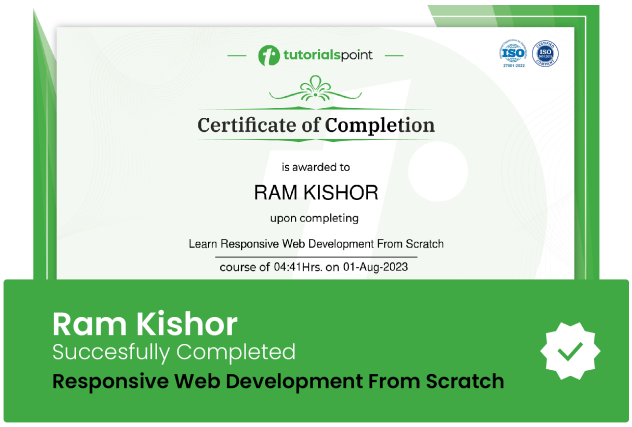
Course Certificate
Use your certificate to make a career change or to advance in your current career.
Our students work
with the Best

















Related Video Courses
View MoreAnnual Membership
Become a valued member of Tutorials Point and enjoy unlimited access to our vast library of top-rated Video Courses
Subscribe now
Online Certifications
Master prominent technologies at full length and become a valued certified professional.
Explore Now