Windows Server 2022 Tutorial For Basic Topic For Beginners
Windows Server 2022 Tutorial For Basic Topic For Beginners
 Updated on Sep, 2026
 Language - English
AI Assistant

Lectures -33
Resources -2
Duration -2 hours
Lifetime Access

Lifetime Access
30-days Money-Back Guarantee
Get your team access to 10000+ top Tutorials Point courses anytime, anywhere.
Course Description
Goals
- In this video series you will learn about Windows Server 2022 all topic. All topics are covered with theory and live practical. You must need Computer Basic knowledge. Technology are growing up day by day. Many technologies are added in our network. Many new technology are coming. You should must upgrade your skill. If you want to change your job or move to System Administrator or System Engineer or Server Administrator, so this course is good for your skill upgrade. Microsoft Windows Server OS (operating system) is a series of enterprise-class server operating systems designed to share services with multiple users and provide extensive administrative control of data storage, applications and corporate networks. Development for Windows Server started in the early 1980s when Microsoft produced two operating system lines: MS-DOS and Windows NT. Microsoft engineer David Cutler developed the kernel of Windows NT with the intent to provide speed, security and reliability that large organizations require in a server operating system. Windows Server 2022. The most current Windows Server version is Windows Server 2022. It was released in 18 August 2021 and included several important new features to meet growing networking requirements. Intermediate Level For Beginners To Advance Level Topic End.
Prerequisites
- In this video series you will learn about Windows Server 2022 all topic. All topics are covered with theory and live practical. You must need Computer Basic knowledge. Technology are growing up day by day. Many technologies are added in our network. Many new technology are coming. You should must upgrade your skill. If you want to change your job or move to System Administrator or System Engineer or Server Administrator, so this course is good for your skill upgrade. Microsoft Windows Server OS (operating system) is a series of enterprise-class server operating systems designed to share services with multiple users and provide extensive administrative control of data storage, applications and corporate networks. Development for Windows Server started in the early 1980s when Microsoft produced two operating system lines: MS-DOS and Windows NT. Microsoft engineer David Cutler developed the kernel of Windows NT with the intent to provide speed, security and reliability that large organizations require in a server operating system. Windows Server 2022. The most current Windows Server version is Windows Server 2022. It was released in 18 August 2021 and included several important new features to meet growing networking requirements. Intermediate Level For Beginners To Advance Level Topic End.

Curriculum
Check out the detailed breakdown of what’s inside the course
Section 1- Introduction, Lecture 1- Introduction
1 Lectures
-
 Section 1- Introduction, Lecture 1- Introduction
03:08
03:08
Section 1- Introduction, Lecture 1- Introduction
03:08
03:08
Section 2- 2 How to download Windows Server 2022 ISO File
1 Lectures

Section 3- 3 How to Download and Install Oracle Virtual Box
1 Lectures
Section 4- 4 How to install Windows Server 2022 on Oracle Virtual Box
1 Lectures
Section 5- 5 How to download and install VMWare Workstation 17
1 Lectures
Section 6- 6 How to install Windows Server 2022 In VMware Workstation 17
1 Lectures
Section 7- 7 How to download Windows 10 Enterprise Evaluation edition
1 Lectures
Section 8 - 8 How to Setup lab for Windows Server 2022 and Windows 10 as a Client
1 Lectures
Section 9 - 9 How to install Windows 10 as a client in Oracle Virtual Box
1 Lectures
Section 10 - 10 how to install guest addition cd image
1 Lectures
Section 11- 11 How to set an Ip address on Server 2022
1 Lectures
Section 12- 12 Routing and Remote access Theory
1 Lectures
Section 13- 13 Routing and Remote access Practical LAB
1 Lectures
Section 14- 14 What is the difference between workgroup and domain
1 Lectures
Section 15 - 15 How to install Active Directory Domain Services on Server 2022
1 Lectures
Section 16- 16 How to add a computer to the domain In Server 2022
1 Lectures
Section 17- 17 How to create first Organizational Unit on Server 2022
1 Lectures
Section 18 - 18 How to create a domain user on server 2022
1 Lectures
Section 19-19 how to remove Password Without Complexity In Server 2022
1 Lectures
Section 20- 20 how to remove Password Without Complexity for a group
1 Lectures
Section 21 - 21 How to mapping a share folder on Server 2022
1 Lectures
Section 22 - 22 How to add A new server to the domain
1 Lectures
Section 23-23 How to configure Additional Domain Controller (ADC) on server 2022
1 Lectures
Section 24 - 24 If main Domain Controller goes down Secondary ADC will automatically Up
1 Lectures
Section 25 - 25 How to remove Active Directory From Server 2022
1 Lectures
Section 26 - 26 How to reset or disable account password of a domain users
1 Lectures
Section 27- 27 How to Protect Domain User from Accidental Deletion in Server 2022
1 Lectures
Section 28 -28 How to Mount Partition with NTFS Folder in Window Server 2022
1 Lectures
Section 29 - 29 How to create CDC on server 2022
1 Lectures
Section 30 -30 How to Create Active Directory Backup in Window Server 2022
1 Lectures
Section 31- 31 How to install RODC in Windows Server 2022
1 Lectures
Section 32 - 32 Software Deployment through group policy in Windows Server 2022
1 Lectures
Section 33-33 How to Configure Hyper-V on Server 2022
1 Lectures
Instructor Details

Rudra Mukherjee
Desktop Support Administration, Outlook. Sentinel, Acronis Backup For Daily In Corporate Office , Microsoft Teams , Zoom Configuration and Trouble Shooting, New Laptop Hand Over For Employees, Call attend From All Over India and Helped to Employees for Instant help, Remote Support Via Phone Video call and Remote software, security Check, IT Audit, Call log to HP, Lenovo, Dell Company for Laptop Warranty and Fault issue, Hardware and Network Troubleshooting , Forti Client install and Configure, SAP install and Configure, Group Policy update, Basic Knowledge off Windows Server , Board Room Setup for MD, CEO and Chairman ,
Want to be a Good and Knowledgeable IT Head
And Want to help Student who are Freshers
thank you
God bless you
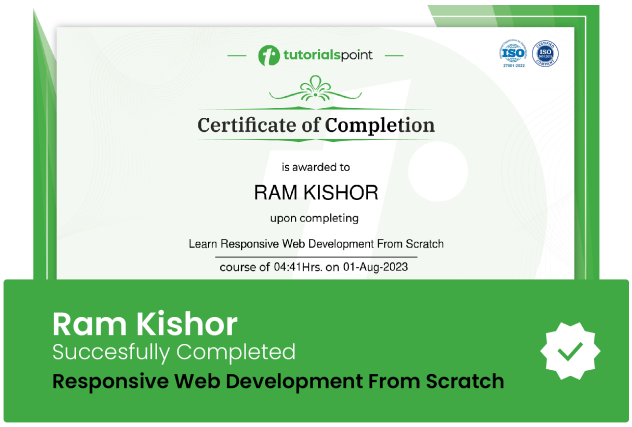
Course Certificate
Use your certificate to make a career change or to advance in your current career.
Our students work
with the Best
















Related Video Courses
View MoreAnnual Membership
Become a valued member of Tutorials Point and enjoy unlimited access to our vast library of top-rated Video Courses
Subscribe now
Online Certifications
Master prominent technologies at full length and become a valued certified professional.
Explore Now