Figma Fashion Web App UI/UX - Design a Complete Web APP UI/UX
Learn Figma Advanced Features
 Updated on Oct, 2026
 Language - English
AI Assistant
English [CC]

Lectures -18
Duration -2.5 hours
Lifetime Access

Lifetime Access
30-days Money-Back Guarantee
Get your team access to 10000+ top Tutorials Point courses anytime, anywhere.
Course Description
In this class, you will learn how to design a complete Fashion web app UI/UX Using Figma. After finishing this class you will have a complete real-world UI/UX Project that you will be able to add to your portfolio. I tried to add different kinds of Features in this class and while you will design different sorts of features you will end up learning different techniques of Figma.
Moreover, I will try to teach you the best practices of Figma that will help you to become a good UI/UX designer. You will also end up learning how to use prototype overlay to show the Modal box in Figma.
Who is this class for?
If you want to become a UI/UX designer.
- If you want to design a complete real-world Fashion web app UI/UX.
- If you want to improve your UI/UX design skills and want to learn the best practices.
Goals
- A complete Fashion web app UI/UX project.
- How to do Horizontal Scroll View.
- Figma scroll by clicking on the button.
- How to design a Modal box with product item information.
- Modal box design with image horizontal scroll features
- Learn to work with images in Figma and Design Images in Figma
- How to add animation
- Uses of different tools in Figma.
- You will learn how to use Figma Grid and Layout System.
- Figma system design.
- How to create components and re-use them within the frame.
- How to use plugins for icons.
- You will end up learning the best way to organize your Figma project.
- How to do prototyping for showing the modal box.
- You will learn prototyping with a different kind of animation.
- How to make a group in Figma and the benefit of using Figma group.
Prerequisites
- Students don't need to have any prior knowledge to take this class.

Curriculum
Check out the detailed breakdown of what’s inside the course
Introduction
18 Lectures
-
 Introduction
04:16
04:16
Introduction
04:16
04:16
-
Project Layout Grid and Color System Design
06:19
06:19
-
Navigation Bar and Header Design
15:58
15:58
-
Card Design to Show Fashion Item
10:01
10:01
-
Select and Show Multiple Image in Card
10:00
10:00
-
Frame Selection and Horizontal Scroll
11:06
11:06
-
Horizontal Scroll by Clicking on Scroll Button
08:37
08:37
-
Men Fashion Card Design
06:28
06:28
-
Pagination Design
12:15
12:15
-
Fashion Category Design
14:15
14:15
-
Newsletter Section Design
09:35
09:35
-
Footer Section Design
09:24
09:24
-
Sign up Page Design
09:51
09:51
-
Sign In and OTP Page Design
04:48
04:48
-
Item Modal Box Design
21:44
21:44
-
Prototype Overlay to Show Modal Box
05:18
05:18
-
Prototype for Sign up and Sign in Page
08:05
08:05
-
Export and Share Design
05:13
05:13
Instructor Details

Yazdani Chowdhury
Yazdani Chowdhury is an engaging instructor known for breaking down complex topics into clear, practical lessons. With a strong background in his field, he focuses on real-world examples that help learners understand and apply what they learn. His teaching style is straightforward, friendly, and designed to build confidence in students at every level.
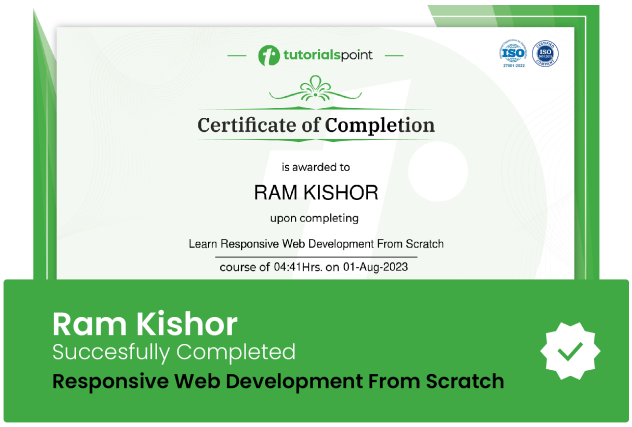
Course Certificate
Use your certificate to make a career change or to advance in your current career.
Our students work
with the Best

















Related Video Courses
View MoreAnnual Membership
Become a valued member of Tutorials Point and enjoy unlimited access to our vast library of top-rated Video Courses
Subscribe now
Online Certifications
Master prominent technologies at full length and become a valued certified professional.
Explore Now